AI question
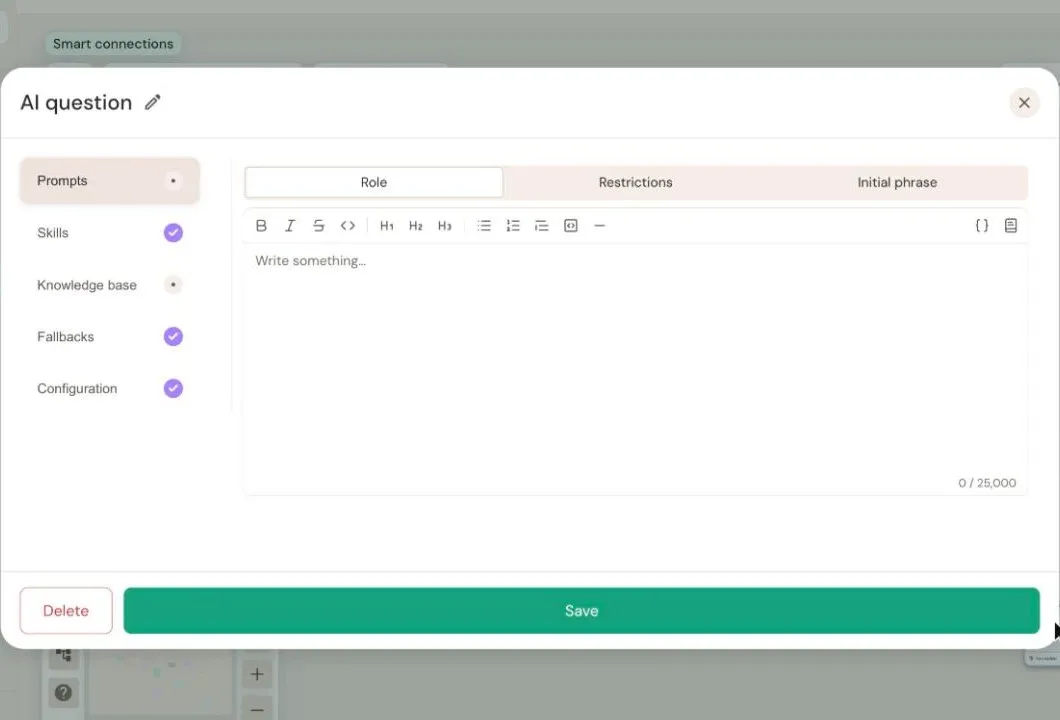
AI question hands the conversation to a language model agent: it talks with the caller until one of its skills fires, then leaves through that skill’s output. It opens in a large window with five tabs.
Every text setting of this brick takes variables and contact fields, such as {{contact.first_name}}. Number, switch and list settings do not. See Variables.
When to use
Section titled “When to use”Open questions, problem descriptions in the caller’s own words, and answers from a knowledge base. For fixed answers, use Question. Concepts and a step-by-step setup: AI conversations and knowledge base.
Settings
Section titled “Settings”| Tab | Setting | What it does | Default |
|---|---|---|---|
| Prompts | Role | Who the agent is and what it must achieve | — |
| Prompts | Restrictions | Prefilled with the answer language, the current date and time from {{system.time.rfc3339}} and a request for concise answers | Prefilled |
| Prompts | Initial phrase | What the agent says first | — |
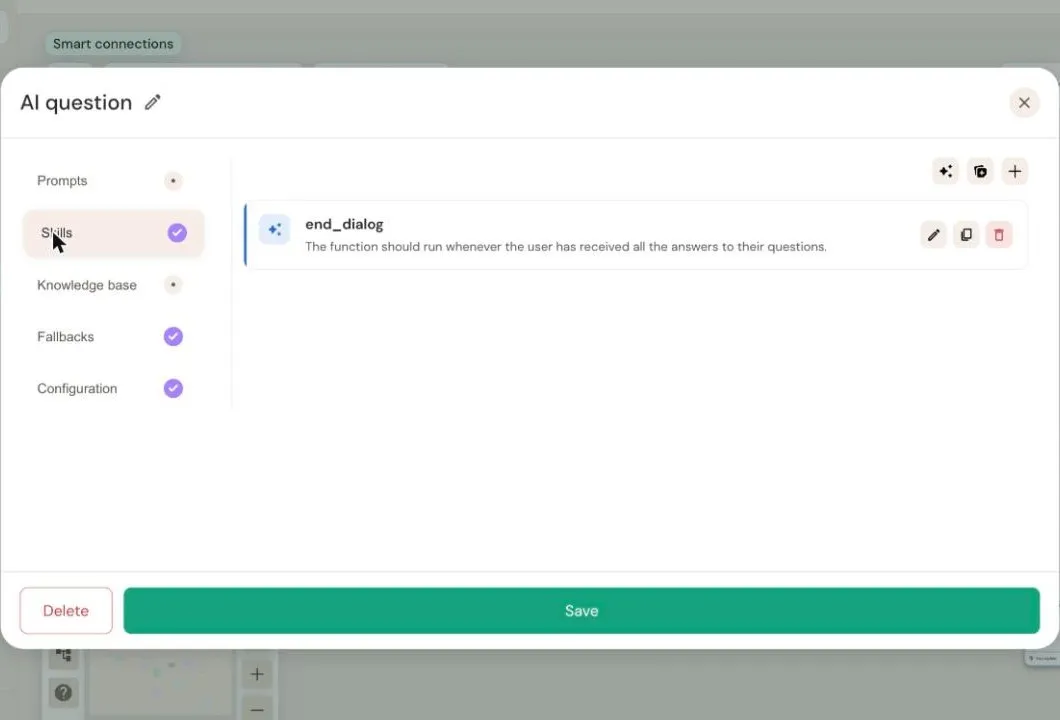
| Skills | Skills | Functions the agent can call; each becomes an output. end_dialog runs when the caller has all their answers | end_dialog |
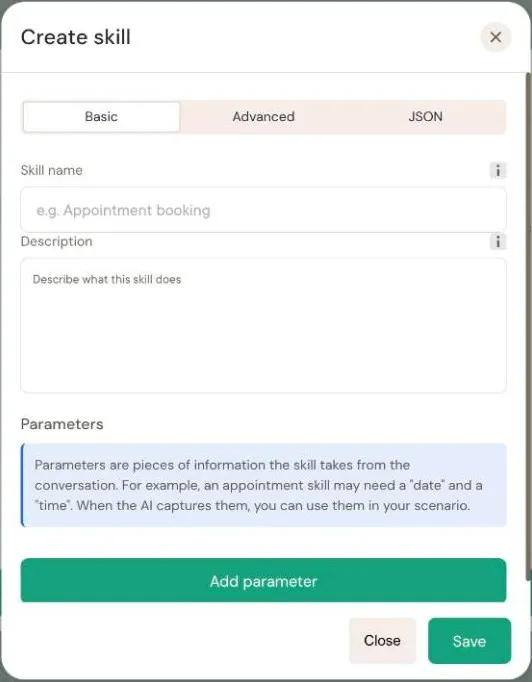
| Skills | + | A new skill: Skill name, Description, Parameters (name, description, Required parameter); Advanced adds Type and Allowed values; JSON edits the definition | — |
| Skills | ✨ | Generates skills with AI | — |
| Knowledge base | Text or RAG enabled | Free text, or search in uploaded documents | — |
| Knowledge base | Documents Manager | .txt or .csv up to 5 MB, up to 50 documents, split into Chunks or Lines | Chunks of 1,000 characters |
| Knowledge base | Similarity threshold, Number of documents | What goes into the context | 0.7, 5 |
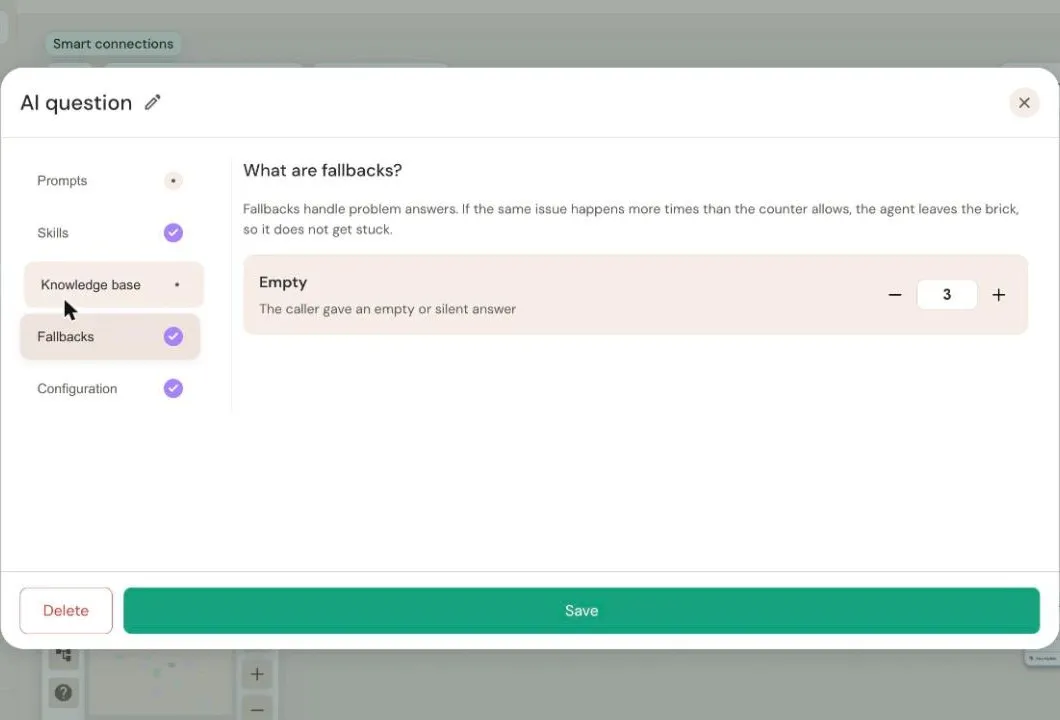
| Fallbacks | Counters | How many times the same problem may repeat before the agent leaves | 3 |
| Configuration | LLM | EEA providers only, Provider, Model, Temperature | Temperature 0.7 |
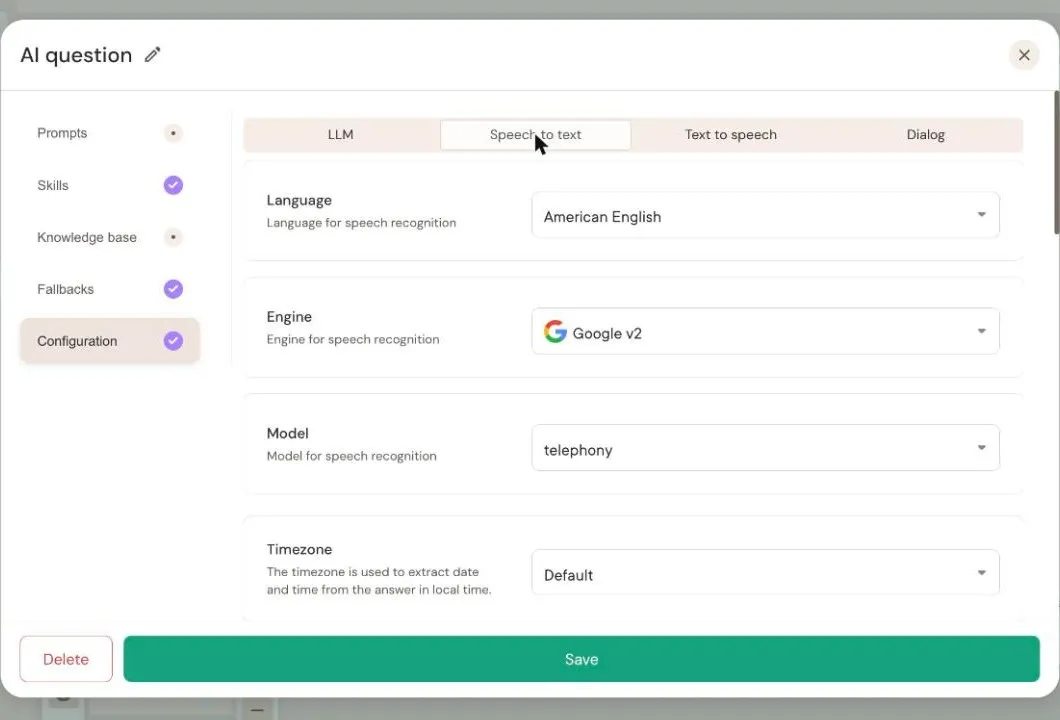
| Configuration | Speech to text, Text to speech | Recognition and voice for this brick | Scenario defaults |
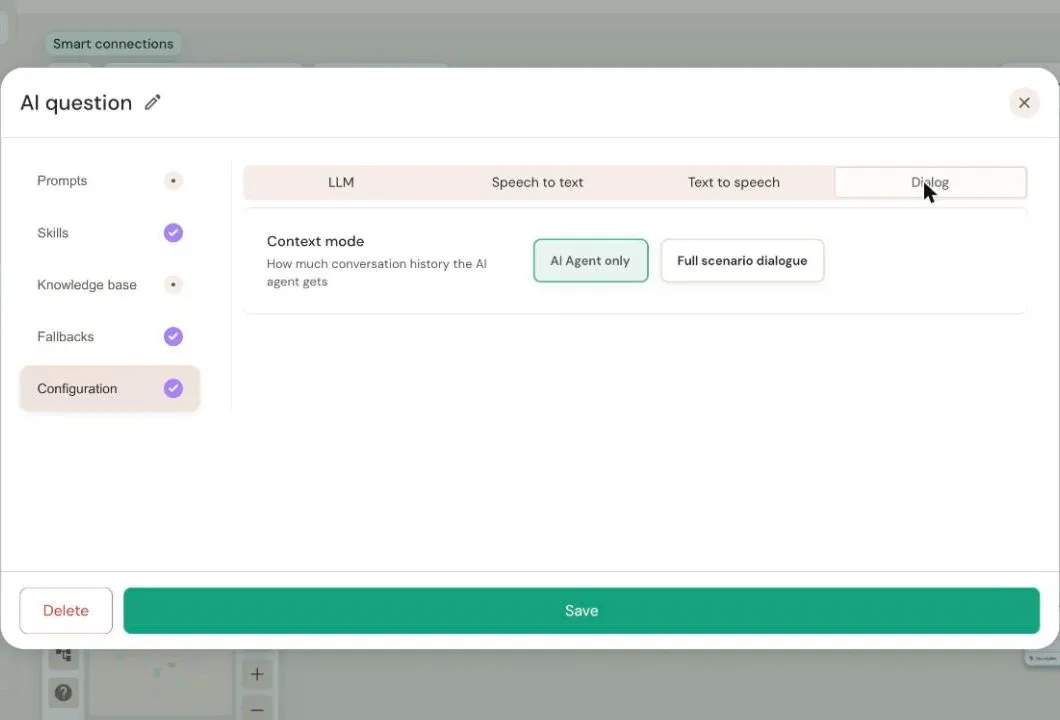
| Configuration | Dialog → Context mode | AI Agent only or Full scenario dialogue (also sees what was said earlier in the call) | — |
Prompts hold up to 25,000 characters each and accept variables. Providers: Azure OpenAI, Claude (Anthropic), Google Gemini, Mistral AI, OpenAI. Captured skill values are available as {{ai_agent.function.result}}.
Outputs
Section titled “Outputs”| Output | When |
|---|---|
| One per skill | The agent called that skill |
| Error | A fallback counter ran out on an error |
| Empty | The caller stayed silent more often than the counter allows |
| Incomplete | The call broke off |
Example
Section titled “Example”A support line: Role You are the first-line support agent of an internet provider …; skill create_ticket with parameters problem and address; knowledge base with RAG on the provider’s FAQ. create_ticket → HTTP request to the ticketing system → Text-to-speech with the ticket number.
Good practice
Section titled “Good practice”- Write the Role as detailed, logical and structured as possible: goal, steps, what to do when the caller goes off topic.
- Describe each skill and parameter so the model knows when to call it; mark what is required.
- Choose Full scenario dialogue when earlier answers in the call matter to the agent.
- With EEA providers only on, data stays in the European Economic Area.
Related
Section titled “Related”AI conversations and knowledge base, Question, Global settings