Result webhooks
When a call completes, the agent can POST its result to one or more URLs of yours; deliveries are stored first, can be resent, and may arrive more than once.
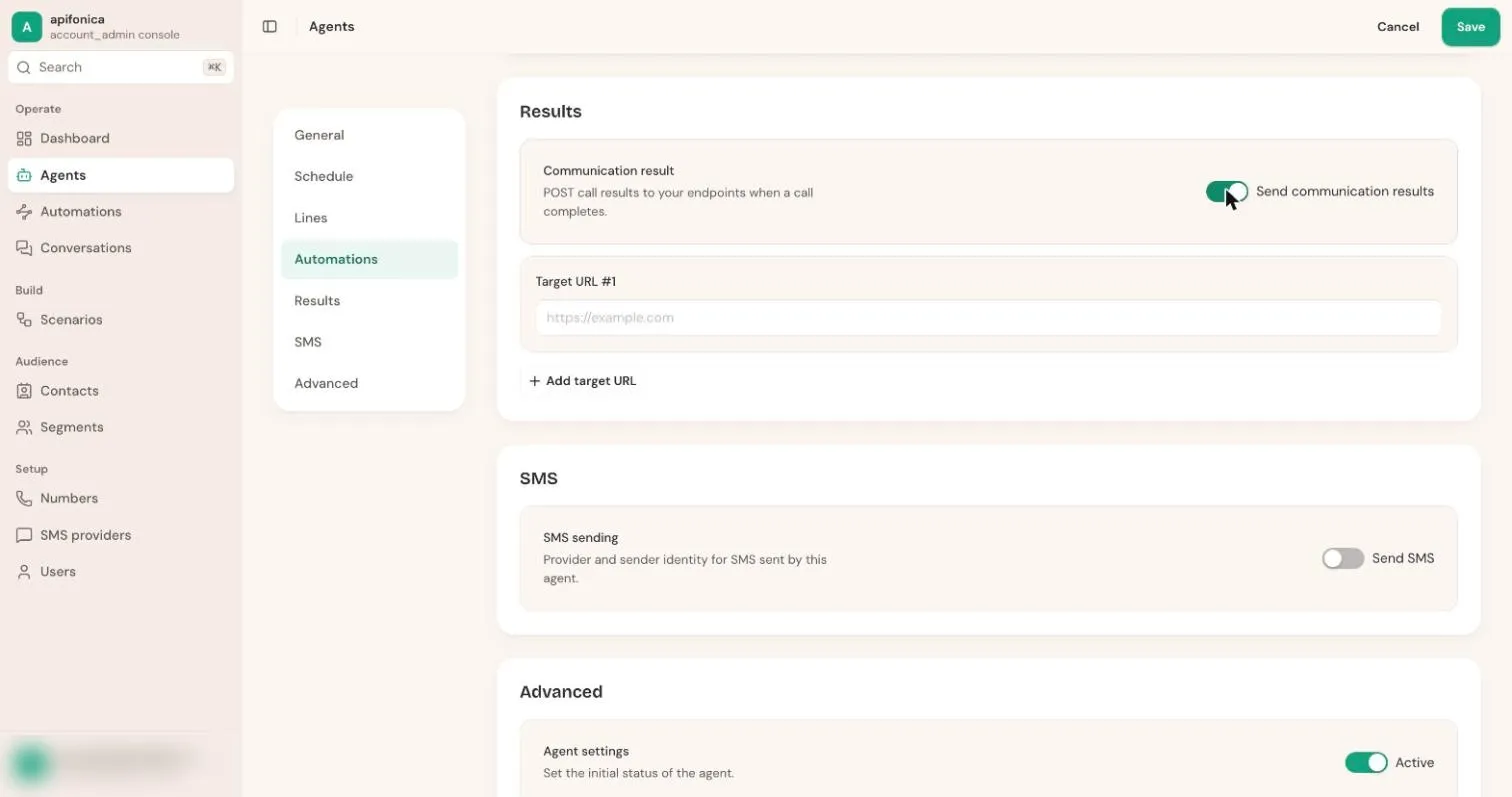
Turn it on
Section titled “Turn it on”- Open the agent and click Edit agent.
- In Results, turn on Send communication results.
- Add a Target URL; + Add target URL adds another.
- Click Save at the top right.
What arrives
Section titled “What arrives”One request per finished call with its outcome, the variables set during the call and the dialog. On the conversation, Call info → Call result shows what your endpoints received, with View.
Build your endpoint for redelivery
Section titled “Build your endpoint for redelivery”- The same result can arrive more than once. Key your handler on the communication ID and make it idempotent.
- A failed delivery is kept and can be inspected and resent through the Account API.
- Lifecycle status and call outcome are two separate fields; both can be
failedwith different meanings.
Integrators: request format, pull versus push and the delivery operations are in Monitoring and results. Agent settings: Agents.
Sample payload
Section titled “Sample payload”The body of one delivery, for an outbound call that ended normally:
{ "communication_sid": "COMMUNICATION_SID", "account_sid": "ACCOUNT_SID", "call_sid": "CALL_SID", "recipient": "+48500100200", "direction": "outbound", "scenario_sid": "SCENARIO_SID", "version": 7, "draft_version": null, "communication_status": "done", "call_status": "completed", "reason": "", "duration": 94, "variables": { "order_number": "A-10442", "order_status": "shipped" }, "occurred_at": "2026-11-17T10:42:05Z", "recording_url": "RECORDING_URL", "call_history_url": "CALL_HISTORY_URL"}Each field is described under result_payload in the API reference. recording_url and call_history_url are added when the call has a recording and a history.