Question
Question is the main dialogue brick: it says a prompt, listens, and sends the call to the output of the answer it recognised, by speech or by keypad.
Every text setting of this brick takes variables and contact fields, such as {{contact.first_name}}. Number, switch and list settings do not. See Variables.
When to use
Section titled “When to use”Yes/no confirmations, menus (“sales or support?”), collecting a date, a number or a choice, and routing by what the caller wants. For open-ended conversations or answers from a knowledge base, use AI question.
Settings
Section titled “Settings”| Setting | What it does |
|---|---|
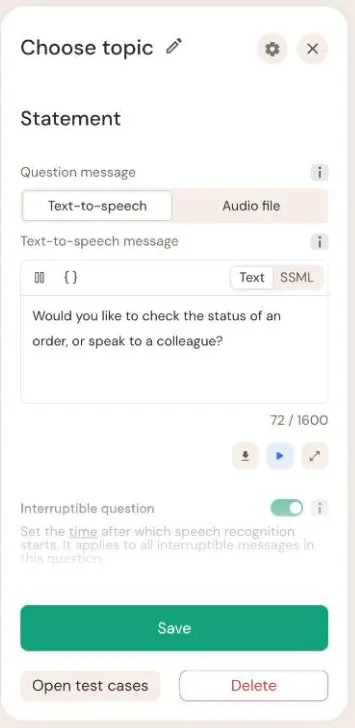
| Statement | The question as Text-to-speech or an Audio file, with variables |
| Interruptible question | Lets the caller answer before the prompt ends |
| Open question mode | Accepts any answer for later analysis instead of matching fixed answers |
| GPT mode | Extracts the answer from the caller’s reply with a language model |
| Answers | Speech recognition or Keyboard input (keypad digits) |
| Answer name | Becomes the name of the output |
| Answer recognition mode | Keywords (exact words) or Intents (meaning) |
| Expected answer wordings | Phrases for this answer, Enter after each. Give intents five or more varied phrasings |
| Add answer | Adds another answer and output |
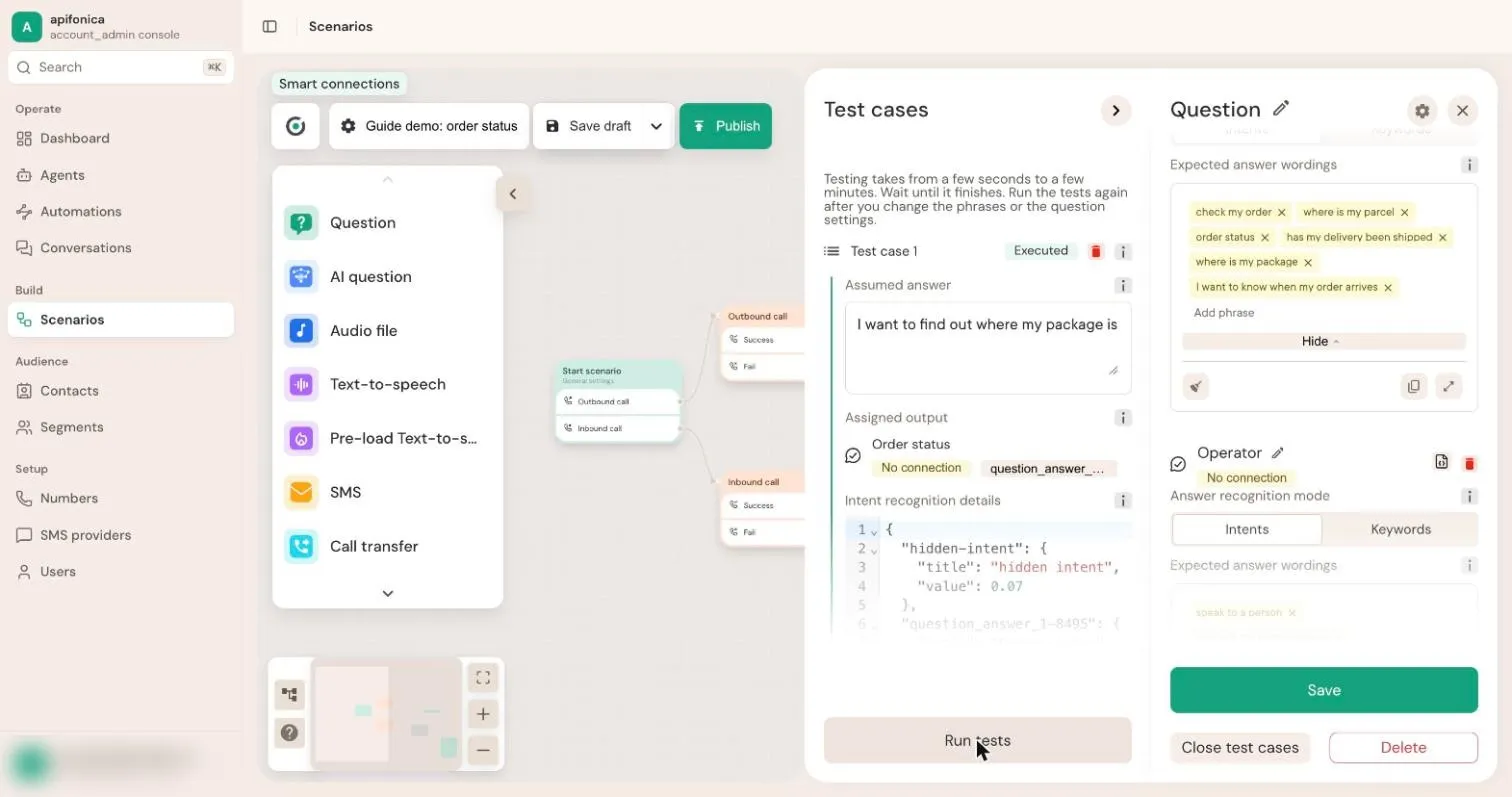
| Open test cases | Type an Assumed answer and Run tests to see the output it reaches and the intent scores |
The brick’s ⚙ opens per-brick settings:
| Section | Settings |
|---|---|
| Text-to-speech | Voice for the statement |
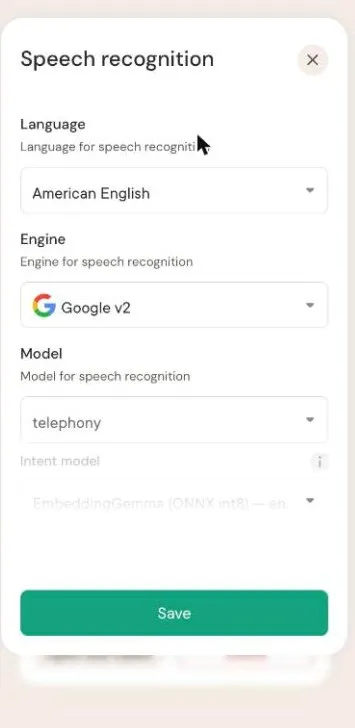
| Speech recognition | Language, engine, model, intent model and Intent threshold (default 0.7), timeouts, voice activity detection, listening mode, When to allow interruption, the Intent classifier ID and Clear classifier |
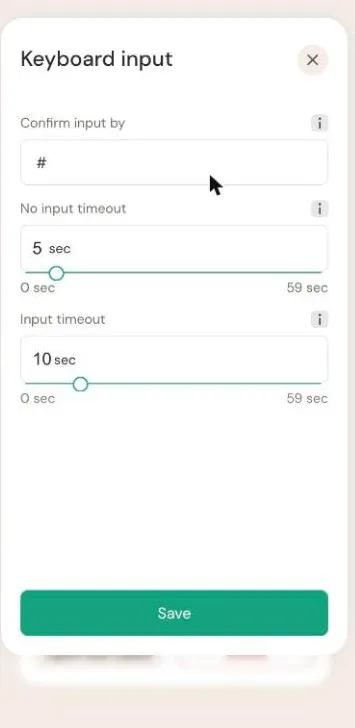
| Keyboard input | Confirm input by (default #), No input timeout (5 s), Input timeout (10 s) |
Outputs
Section titled “Outputs”| Output | When |
|---|---|
| One per answer (closed question) | The caller’s reply matched that answer |
| Answer (open question) | The caller said something; the reply is in {{last_question.answer}} |
| Invalid | Nothing matched (closed question only) |
| Empty | The caller said nothing |
| Incomplete | The call broke off, for example a hang-up |
An open question has only Answer, Empty and Incomplete. It has no Invalid output, and publishing fails if one is wired: check the value after the brick instead, with Conditions or JavaScript, or read it back with a second Question. Before Invalid or Empty fires, the brick plays its fallback; by default that is one AI-generated reprompt that rephrases the question.
Example
Section titled “Example”Would you like to check the status of an order, or speak to a colleague? with two answers: Order status (check my order, where is my parcel, order status, has my delivery been shipped) and Operator (speak to a person, connect me to an operator, a colleague please, talk to someone). Invalid and Empty go to a reprompt that returns to the question.
Good practice
Section titled “Good practice”- Keep the question short and offer two to four options.
- Give each intent five or more varied phrasings and test them before publishing.
- Always connect Invalid and Empty; vary the reprompt with an Audio sequence in One by one mode.
- Use Keywords for short, exact answers such as digits or product codes; Intents for natural replies.
Common issues
Section titled “Common issues”| Symptom | Fix |
|---|---|
| Good answers land in Invalid | Add phrasings, switch to Keywords, or lower Intent threshold |
| Intents behave unlike the test cases | Send support the Intent classifier ID |
| Keypad input is cut off | Raise Input timeout or tell callers to press # |
Related
Section titled “Related”AI question, Conditions, Global settings, Voices, speech and languages