SMS sending
SMS goes out through an SMS provider (an HTTP gateway) connected to the account; each agent picks a provider and a sender, and the SMS brick sends the message from a scenario.
1. Check or add a provider
Section titled “1. Check or add a provider”Setup → SMS providers lists the HTTP gateways that send SMS for your agents, with their URL, number of senders, who administers them and status. A provider administered by the tenant, such as Apifonica, is ready to use.
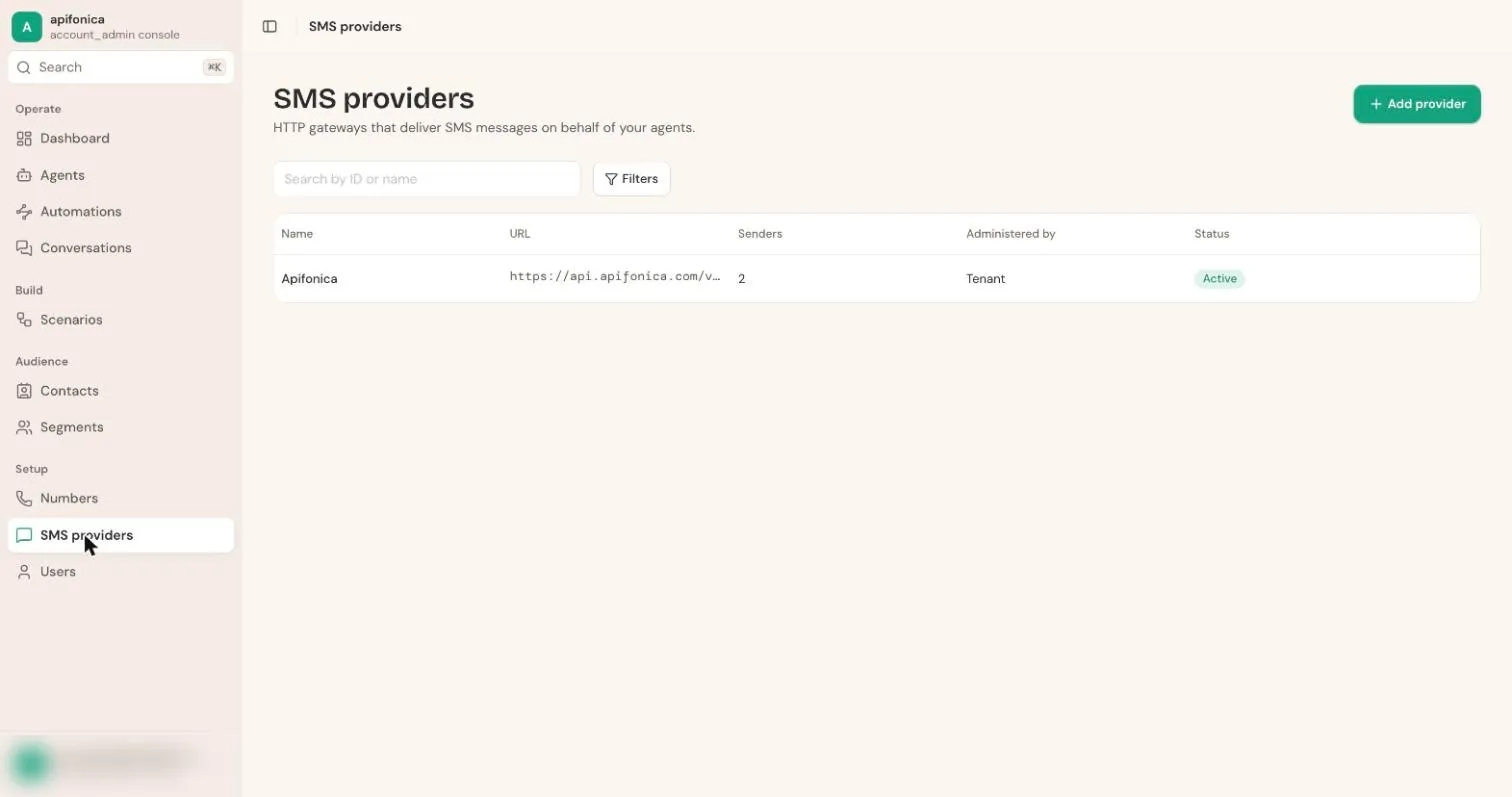
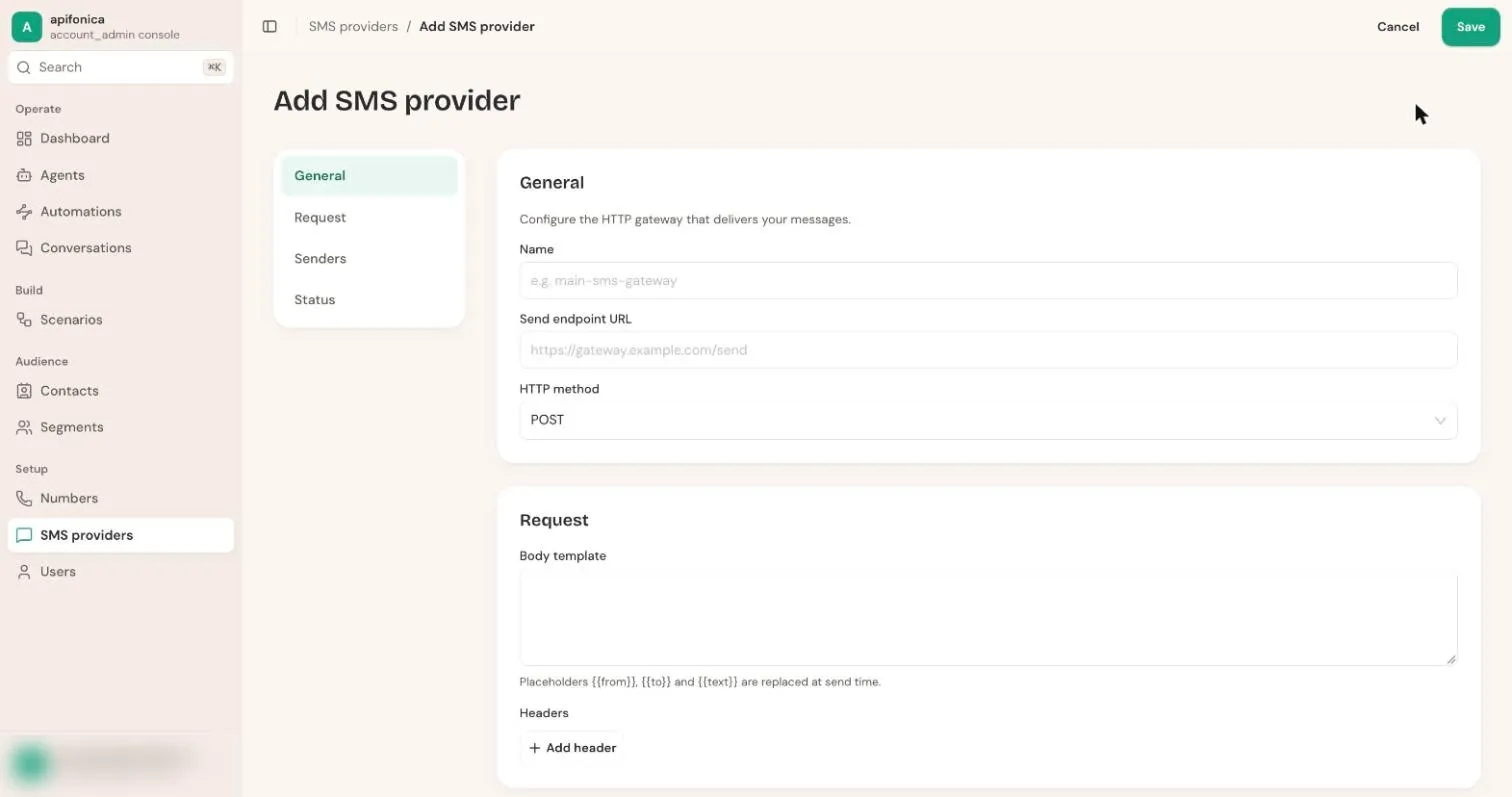
To connect your own gateway, click + Add provider:
- General: a Name, the Send endpoint URL and the HTTP method (POST by default).
- Request: the Body template, where
{{from}},{{to}}and{{text}}are replaced at send time, and any Headers (for example authorisation). - Senders: Alpha senders (names such as your brand) and Number senders.
- Status: Active or not. Click Save.
2. Set the agent’s sender
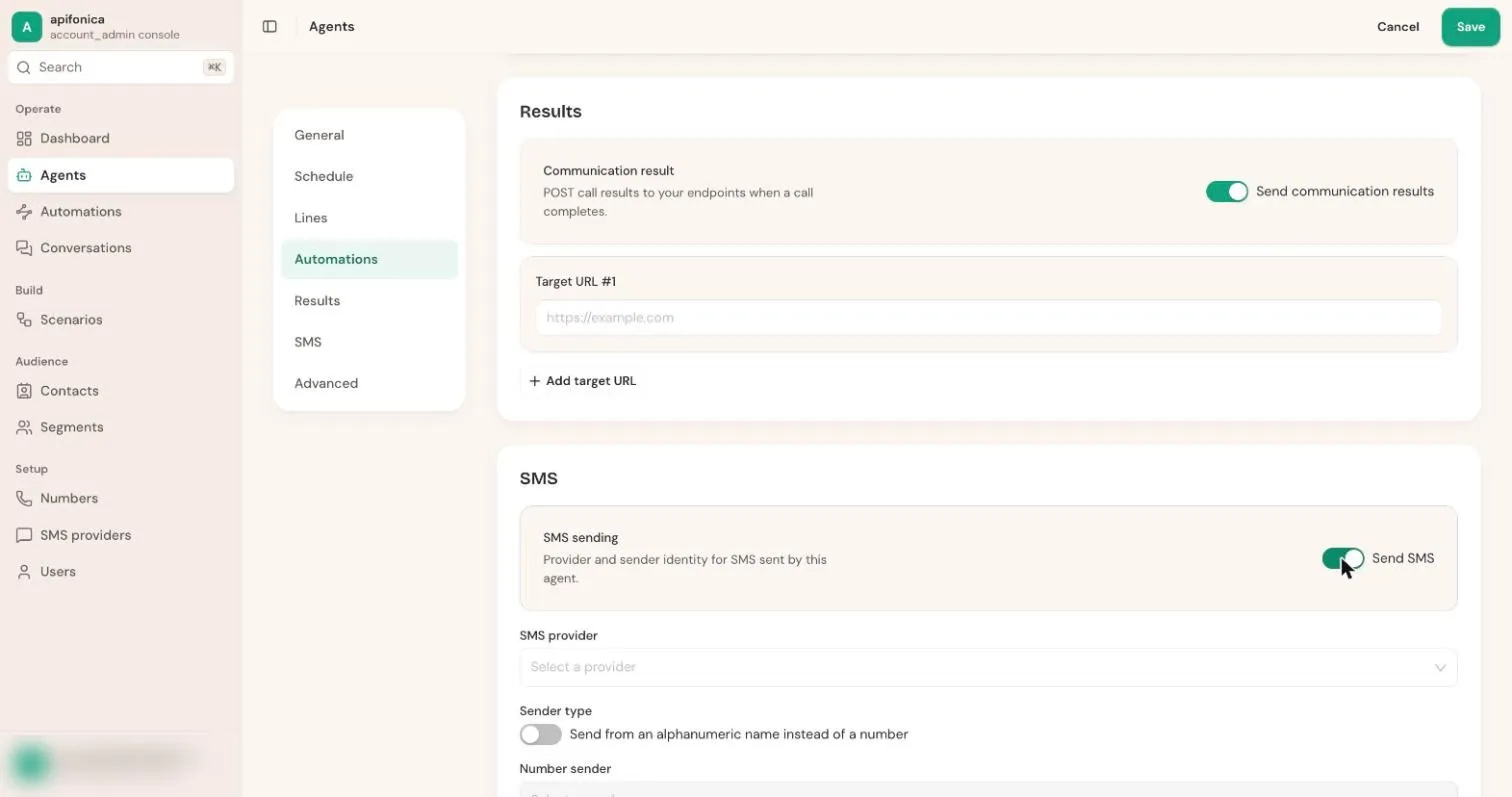
Section titled “2. Set the agent’s sender”Open the agent, click Edit agent and turn on Send SMS in the SMS section. Pick the SMS provider, the sender type (an alphanumeric name or a number) and the sender. See Agents.
3. Send from the scenario
Section titled “3. Send from the scenario”Add an SMS brick where the message should go out, for example after a booking or when the caller hangs up. Type the message with variables; Show message details counts characters and parts. See SMS.
Message length
Section titled “Message length”| Characters used | Characters per part |
|---|---|
| GSM characters only (most count as 1, some as 2) | 160 |
| Any character outside GSM | 70 |
A variable’s length is unknown until the call, so leave room for it.
A longer message is sent in several parts.