Sub-scenarios
A sub-scenario is a reusable branch, such as identifying the caller or collecting an address, that you drop into the main flow as one brick. Its Input and Output bricks mark where the main flow enters it and where it returns; variables set inside the sub-scenario are visible in the main flow.
Create a sub-scenario
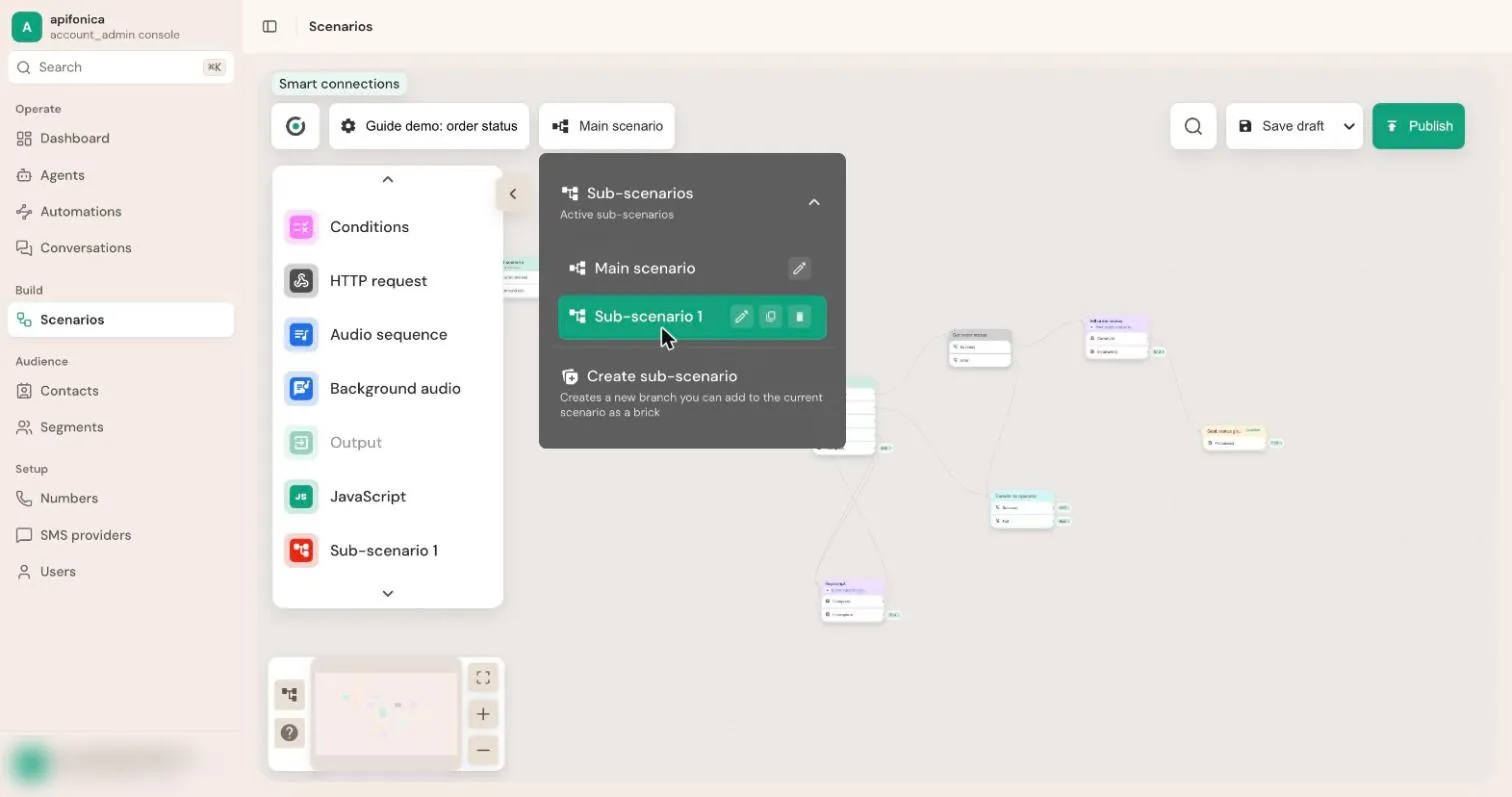
Section titled “Create a sub-scenario”- Click Main scenario → Create sub-scenario. It appears in the list with buttons to rename, duplicate and delete it, and in the palette as a brick (for example Sub-scenario 1).
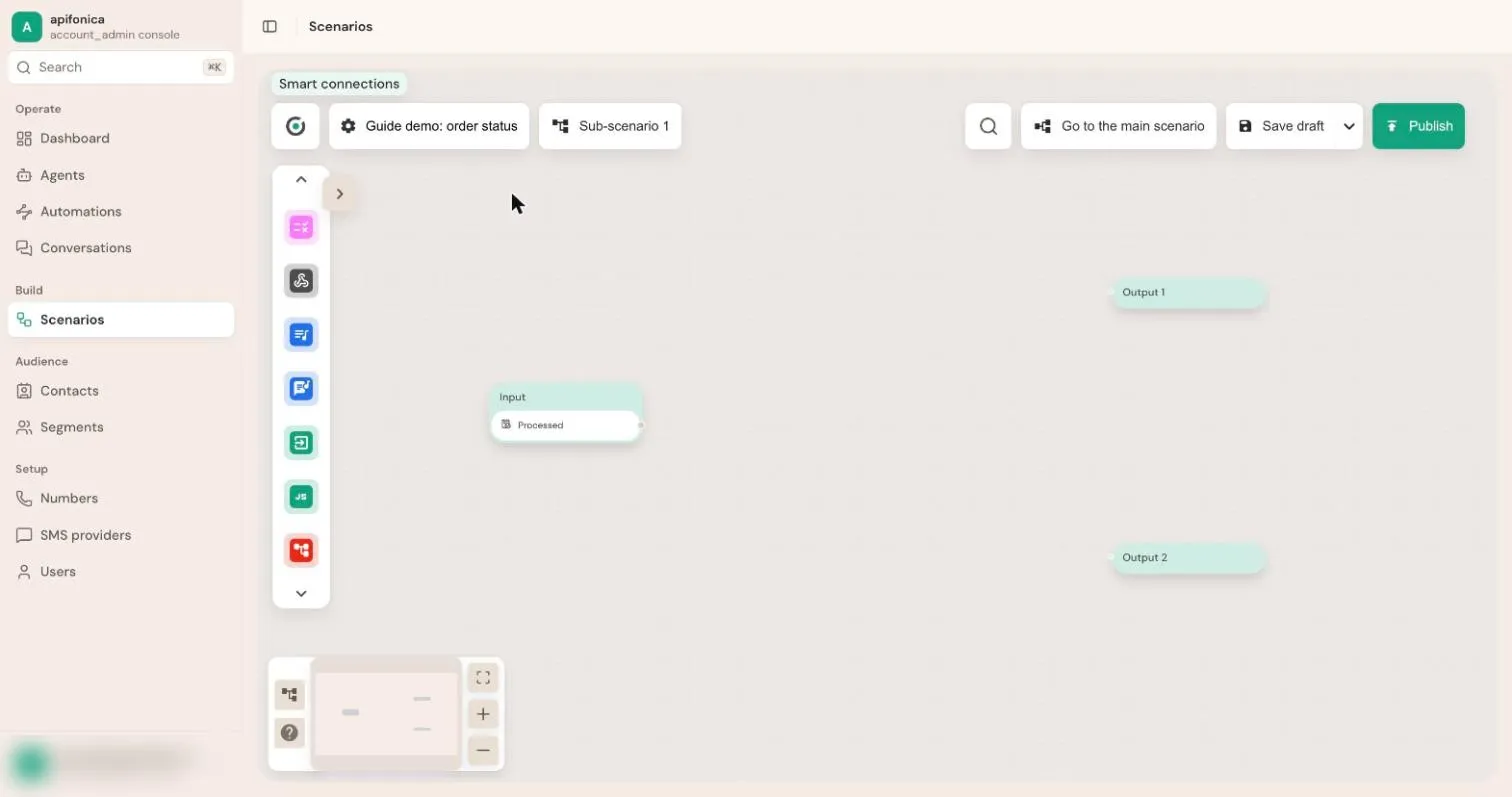
- Click its name to open it. A sub-scenario starts with an Input brick and two Output bricks.
- Build the steps between them. Add more Output bricks from the palette; Output is only available inside a sub-scenario.
- Go to the main scenario returns you to the main flow.
Use it in the main flow
Section titled “Use it in the main flow”Drag the sub-scenario from the bottom of the palette onto the canvas like any other brick. Each Output inside it becomes one output of the brick in the main flow, named as the Output brick is named. Connect those outputs as usual.
Sub-scenarios can contain other sub-scenarios (nested sub-scenarios, released in October 2025).
Good candidates
Section titled “Good candidates”- Identifying the caller: ask for an account number, check it over HTTP, return Identified or Not identified.
- Collecting a date, an address or a callback number with confirmation.
- A standard transfer with hold message and a fallback when nobody answers.
Brick details: Input and Output.