Text-to-speech
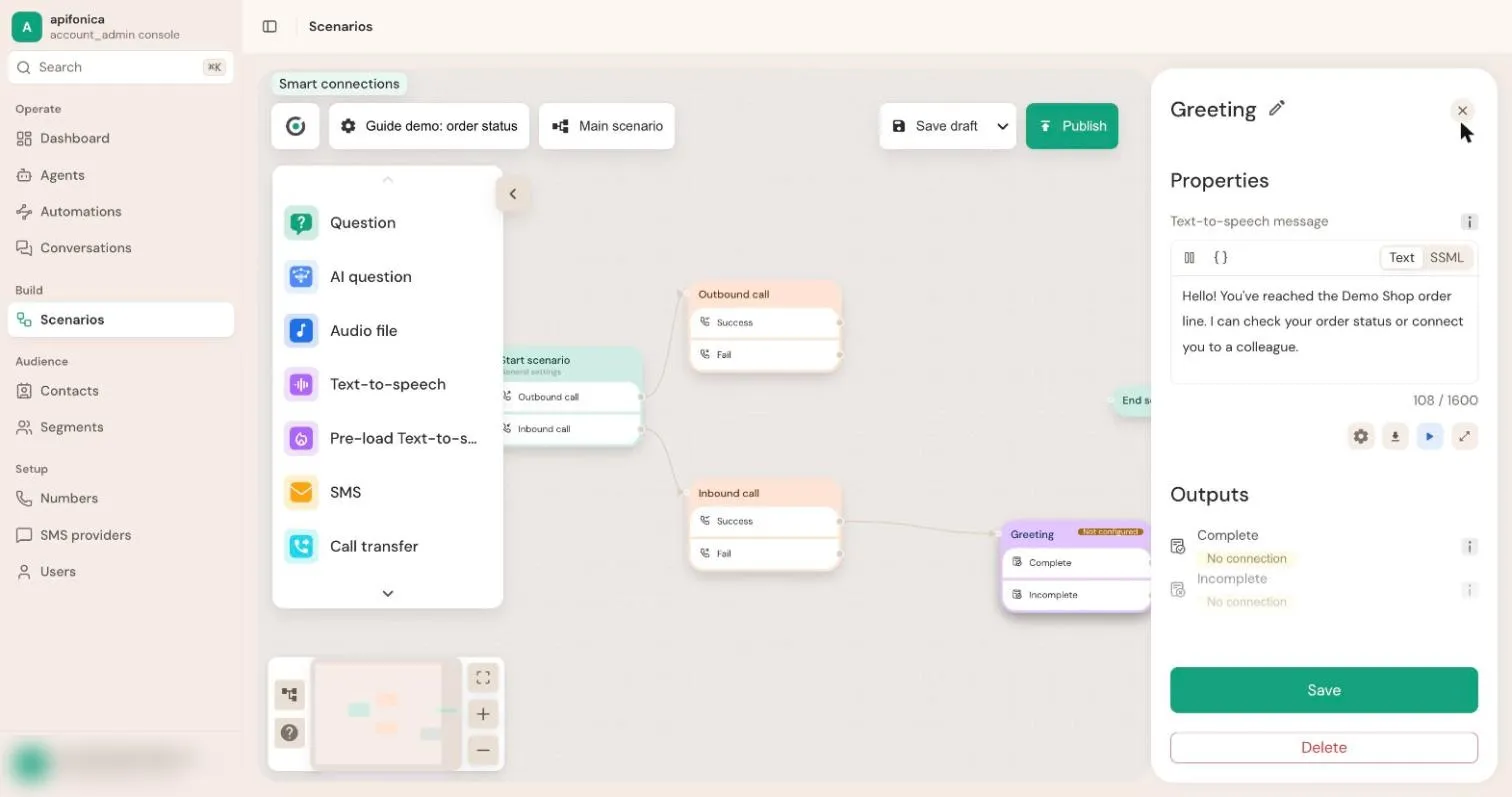
Text-to-speech speaks a message to the caller and moves on without waiting for an answer.
Every text setting of this brick takes variables and contact fields, such as {{contact.first_name}}. Number, switch and list settings do not. See Variables.
When to use
Section titled “When to use”Greetings, information the caller only needs to hear (an order status, opening hours, a balance), confirmations and goodbyes. To ask something and wait for the answer, use Question instead.
Settings
Section titled “Settings”| Setting | What it does |
|---|---|
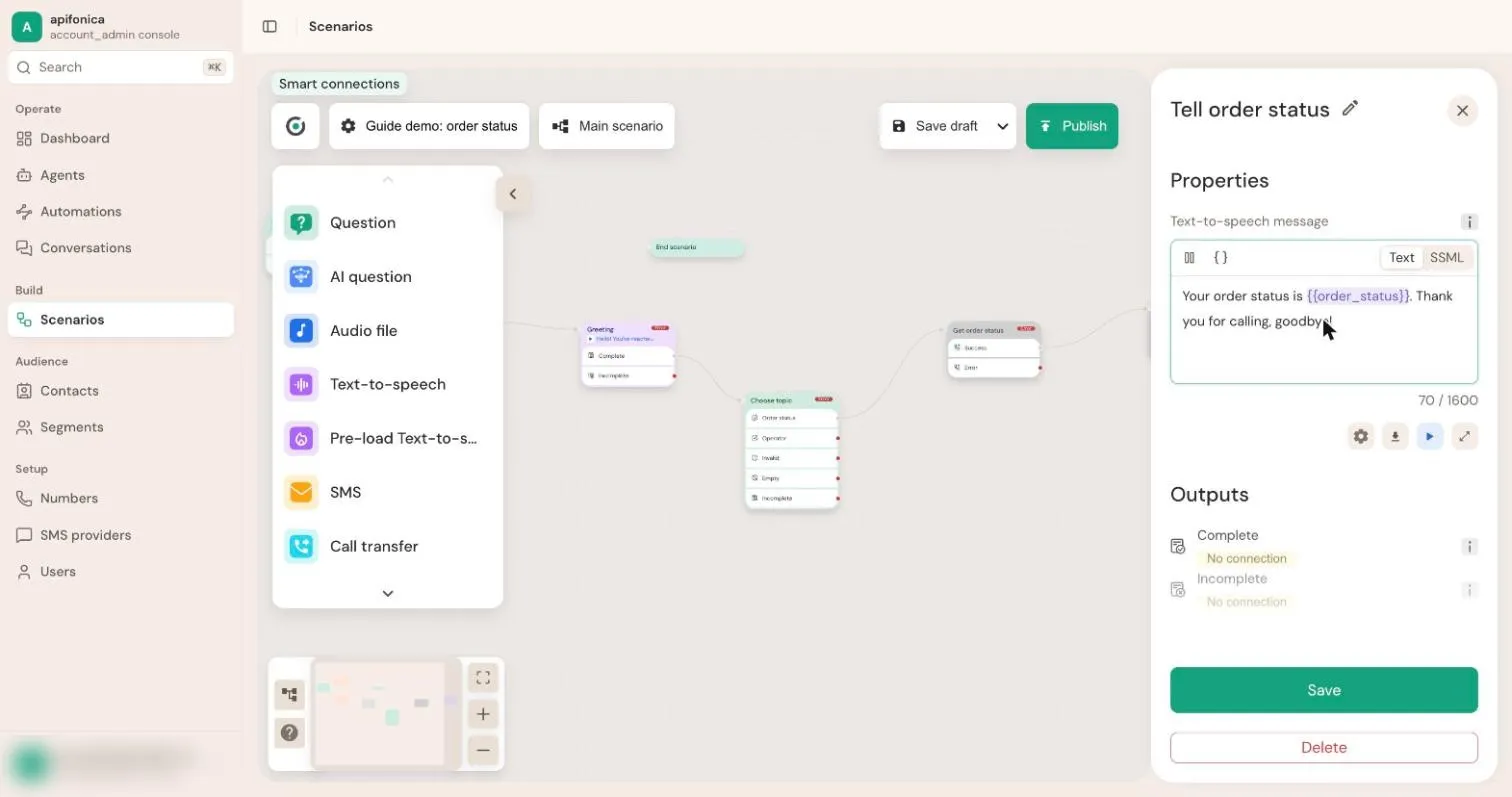
| Message | Up to 1,600 characters, with variables such as {{order_status}} |
| Text / SSML | Plain text, or SSML markup for finer control of speech |
| ‖ | Inserts a pause |
| { } | Inserts a variable |
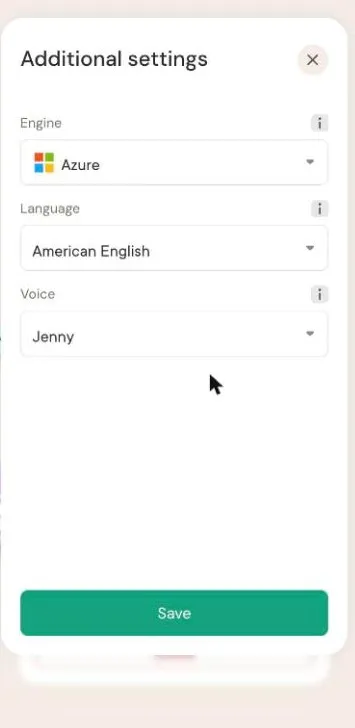
| ⚙ | Voice for this brick only (engine, language, voice), for example for a second language |
| ⬇ / ▶ / ⤢ | Download the audio, play it, open a larger editor |
Outputs
Section titled “Outputs”| Output | When |
|---|---|
| Complete | The message played to the end |
| Incomplete | The call broke off, for example the caller hung up |
Example
Section titled “Example”Your order status is {{order_status}}. Thank you for calling, goodbye! → Complete → Goal (Qualified) → End scenario.
Good practice
Section titled “Good practice”- Keep each message short: callers cannot scroll back. Split long information into several bricks or ask whether to continue.
- Play the message with ▶ after every change and listen to how numbers, dates and names sound.
- For a human voice or fixed jingles use Audio file; for varying reprompts use Audio sequence; for personalised outbound greetings add Pre-load Text-to-speech.
Common issues
Section titled “Common issues”- A variable is read out as its name: the name is not in double braces or is misspelt; valid names are highlighted.