Calling your systems
Use the HTTP request brick when your system has an HTTP(S) API that returns JSON; use the JavaScript brick when you need logic, several calls or a ready-made tool such as email or Google Sheets.
| Need | Use | Why |
|---|---|---|
| Look up an order, a balance or a customer record | HTTP request | No code: URL, method, headers and JSONPath mapping |
| Write a ticket or a lead to your CRM | HTTP request | Any method, call variables in the URL and headers (how a request body is set is to confirm) |
| Combine several values, format dates, compute | JavaScript | storage.get and storage.set on scenario variables |
| Send an email or add a row to a Google Sheet | JavaScript | Ready-made tools in the Brick API |
| Push the result after the call ends | Result webhooks | One POST per finished call, no brick needed (Result webhooks) |
HTTP request in short
Section titled “HTTP request in short”| What | How |
|---|---|
| Request | GET, POST, PUT, DELETE or PATCH to any URL; call variables are substituted into the URL and headers |
| Authorisation | Basic, Bearer or a custom header; optionally through a proxy |
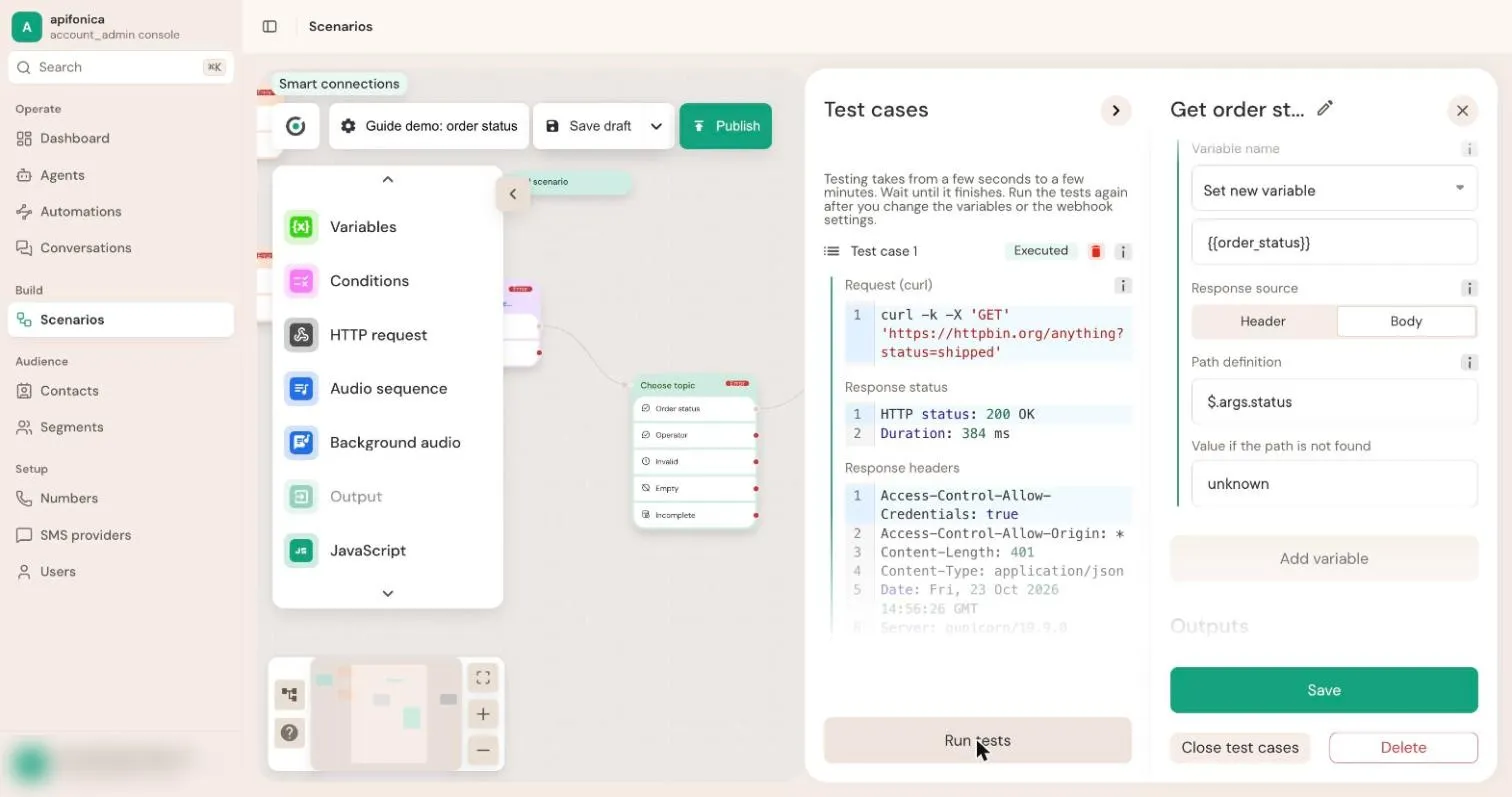
| Response | Values from the body (JSONPath) or headers go into variables, each with a default when the path is missing |
| Timeout | 1–30 s, default 10 s |
| Errors | An unreachable system or a 4xx/5xx status leaves through Error |
| Testing | Open test cases → Run tests sends a real request and shows curl, status, headers, body and the parsed variables |
If your API already speaks HTTP(S) and returns JSON, no change is needed on your side.
JavaScript in short
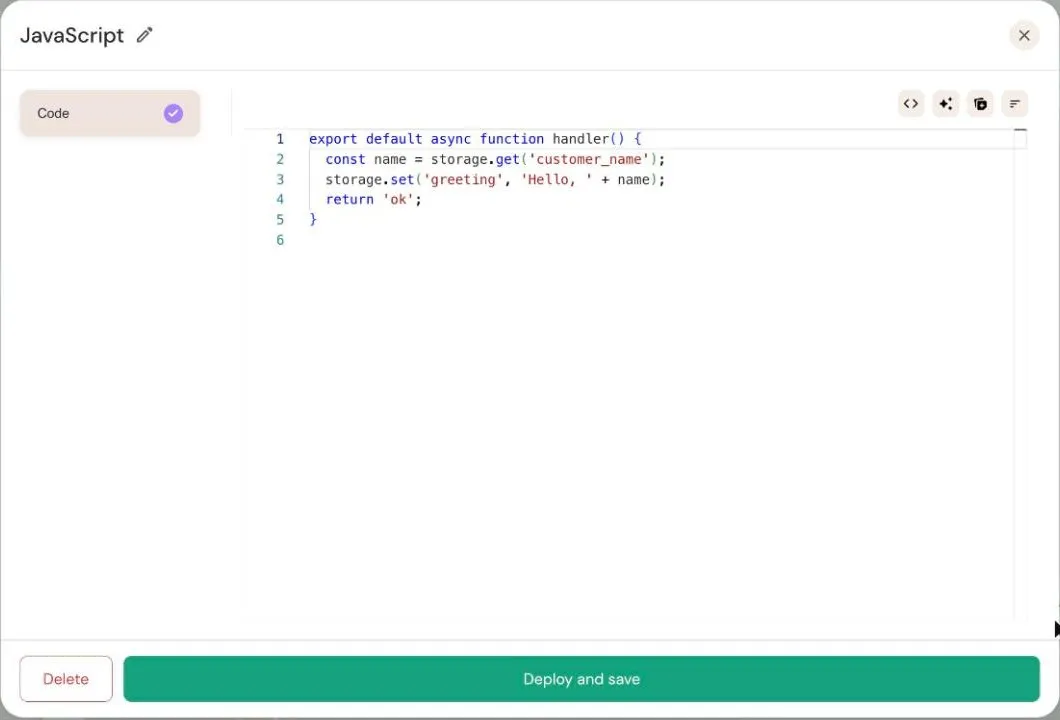
Section titled “JavaScript in short”The brick runs your async default export, reads and writes variables with storage, and can call ready-made tools listed under Brick API. Generate code writes the function from a plain-language description; Deploy and save stores and deploys it.
Good practice
Section titled “Good practice”- Always connect Error: tell the caller something went wrong and offer a person.
- Set a default for every mapped field, so a missing value does not break the next brick.
- Keep timeouts short. The caller hears silence while the request runs.
- Never put secrets into text fields that are spoken or sent by SMS.
Full settings: HTTP request and JavaScript.