HTTP request
HTTP request calls your CRM, order system or any API during the call and turns the response into scenario variables.
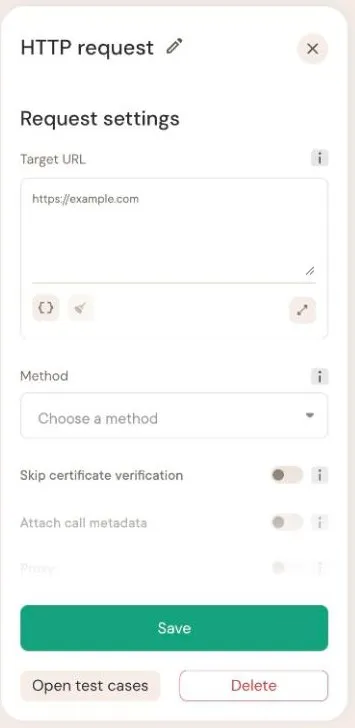
The method, the URL, the body, the headers, the form fields, the authentication, the proxy URL, and the path and default of a response mapping take variables and contact fields, such as {{contact.first_name}}. See Variables.
When to use
Section titled “When to use”Look up an order, a balance or a customer; create a ticket or a lead; check a code the caller typed. If your API speaks HTTP(S) and returns JSON, nothing needs to change on your side.
Settings
Section titled “Settings”| Setting | What it does | Default |
|---|---|---|
| Target URL | The address to call; variables allowed | — |
| Method | GET, POST, PUT, DELETE or PATCH | — |
| Body | Optional request body: choose the data type (JSON, form values or text) and enter the Data | Off |
| Authentication, Headers | Basic, Bearer or custom headers | — |
| Proxy | Sends the request through a proxy | — |
| Attach call metadata | Adds the call’s metadata to the request | — |
| Skip certificate verification | Like curl --insecure; a security risk | — |
| Timeout | 1–30 s | 10 s |
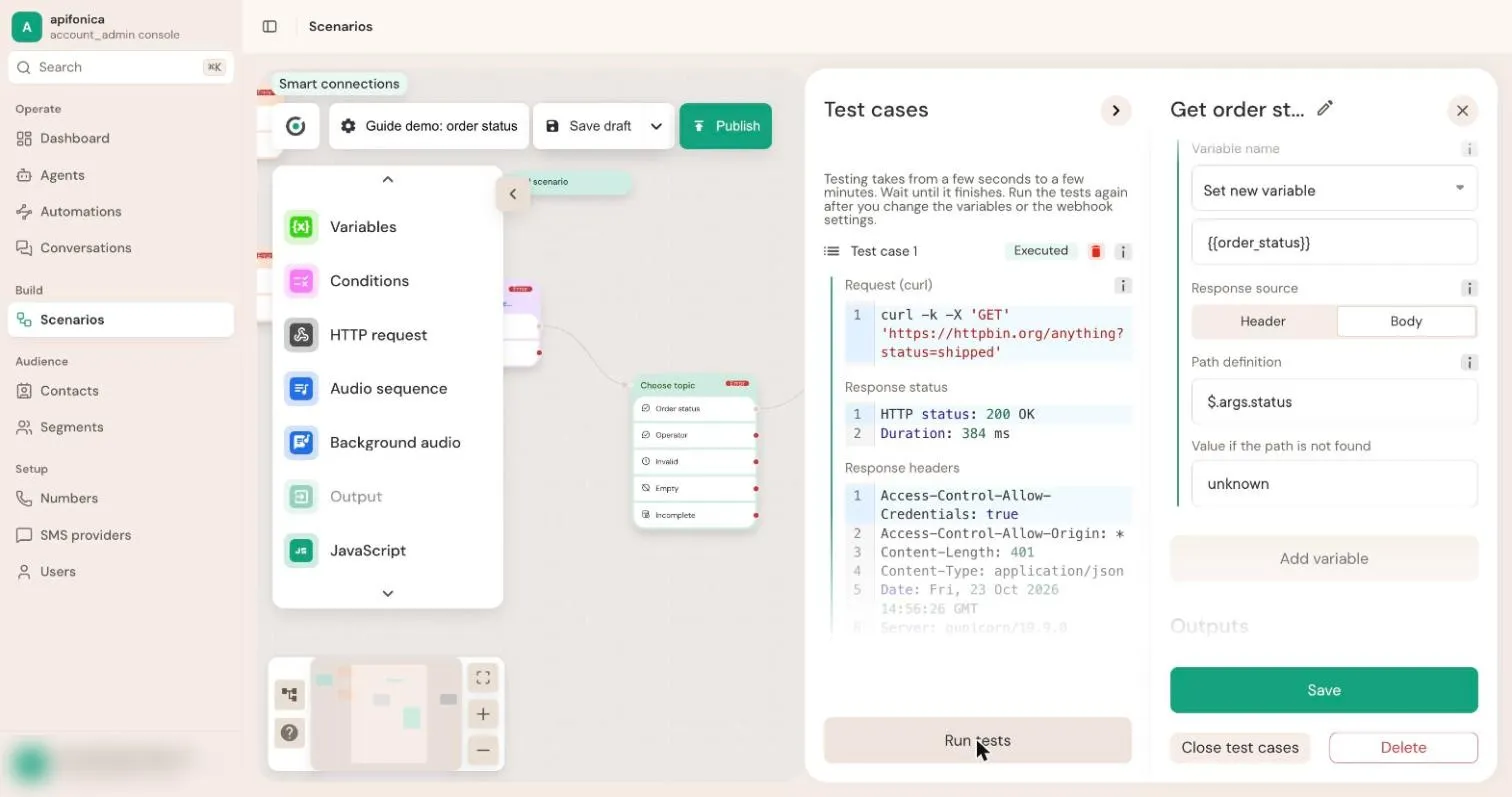
| Response data mapping | Per variable: Response source (Header or Body), a JSONPath Path definition such as $.args.status, and Value if the path is not found | — |
The whole body, the error and the status code are always in {{last_webhook.body}}, {{last_webhook.error}} and {{last_webhook.http_status_code}}.
Test it
Section titled “Test it”Open test cases → Run tests sends a real request and shows the curl command, status, headers, body and the parsed variables. Click a field in the response to copy its path.
Outputs
Section titled “Outputs”| Output | When |
|---|---|
| Success | The API answered with 2xx (3xx: see questions below) |
| Error | 4xx or 5xx, a timeout or an unreachable system |
Example
Section titled “Example”GET https://httpbin.org/anything?status=shipped, mapping {{order_status}} from Body, path $.args.status, default unknown. The test shows {"order_status": "shipped"}.
Good practice
Section titled “Good practice”- Set Value if the path is not found for every mapped field.
- Always connect Error to a polite path, such as a transfer to a person.
- Keep the timeout short; the caller hears silence while the request runs.
Common issues
Section titled “Common issues”| Symptom | Fix |
|---|---|
| Path is required, or the variable stays empty | Run a test case and click the field in the response to copy its path |
| Always Error | Read the status and body in the test case: wrong URL, method or authorisation |
Related
Section titled “Related”JavaScript, Conditions, Calling your systems